Leave Your Message
0%

You know how a power outage can turn a quiet evening into a total scramble? Your router just dies, your desktop shuts down, and that unsaved work? Poof, gone. A Ups System can really help bridge that gap, but here's the thing: theUps Back Up Battery inside isn't a one-size-fits-all purchase. You've got to think about what you need to keep running, how much power those devices actually pull, and for how long you need them to stay on. And those small details? They matter a lot more than you'd expect.

So, you’re in the market for a new or replacement battery? This guide walks you through ten practical things worth checking first. You’ll get the hang of comparing capacity, runtime estimates, voltage, battery chemistry, dimensions, and whether the connector actually fits. And we’ll dig into why the battery’s age, how it’s been stored, and the UPS manufacturer’s specs all matter more than you’d think. It’s tempting to go for a bigger capacity — sounds reassuring, right? — but it might not fit your unit or deliver the runtime you expect. Easy to overlook, honestly.

Real-world runtime depends on load, battery condition, temperature—so honestly, treat those advertised numbers as rough guesses, not promises. Before you order, double-check the label on your UPS and take a look at the manual. Matching the product title alone? Not enough. If it's protecting business-critical gear, get a qualified tech to confirm it'll work. A little caution can save you a headache. No battery lasts forever, and even careful buyers miss a spec now and then. Honestly, it's not about chasing some impressive number. What you really want is a battery you can rely on, one that fits your UPS and actually does what you need it to do.
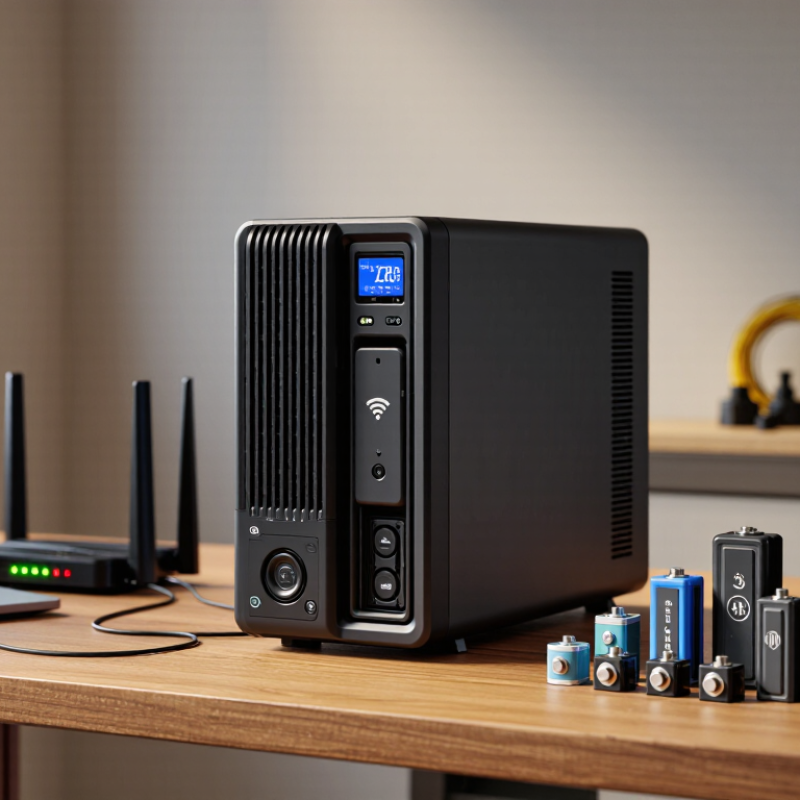
10 Tips for Choosing the Best UPS Backup Battery

Assess Your Equipment and Power Requirements

Before choosing a ups battery, list every device that must stay on during an outage: the computer, monitor, router, storage drive, and network switch. Record each device’s wattage from its label or power adapter. Add the loads together, then allow headroom for brief startup surges and future equipment. Check both watts and volt-amperes; either limit can affect UPS capacity.Small details matter.

Tip: Measure real demand where possible. A plug-in power meter can reveal that a desktop’s load changes sharply between idle and heavy use. Decide how many minutes you need to save work and shut down safely—not just how long you hope the lights stay on. Battery runtime falls as the connected load rises, and published estimates may not match an aging battery or a warm equipment closet.

Tip:Include the cost of getting the estimate wrong. Uptime Institute’s 2024 outage analysis reported that 54% of respondents said their most recent significant outage cost more than $100,000. That figure concerns broader IT outages, not Ups Batteries specifically, but it shows why critical loads deserve careful planning. ABattery Back Up Generator may serve larger or longer outages, while a UPS bridges interruptions and supports orderly shutdown. Recheck your load after adding equipment; estimates are useful, but they’re not always right.

Estimate the Backup Runtime You Need

Estimate runtime around the action you need: ride through a brief outage, bridge to a generator, or shut down safely. Uptime Institute’s 2024 Annual Outage Analysis found that 54% of respondents said their most recent significant outage cost more than $100,000. That figure is not a runtime formula, but it shows why an assumed “few minutes” can be a costly guess.

Measure the real load. Read the equipment’s watt draw during normal operation, including monitors, network gear, and storage devices. Then decide how long each must remain online. For a small office, that might mean enough time to save files and complete an orderly shutdown; critical equipment may need to last until backup power takes over. Add a modest buffer for load spikes and delayed response. A neat estimate can still miss a forgotten switch under the desk.

Compare your target with the UPS manufacturer’s runtime curve at your actual watt load, not its headline maximum. Battery age, temperature, and prior discharge also affect usable runtime. IEEE Recommended Practice 1188 emphasizes battery maintenance and capacity testing for stationary valve-regulated lead-acid batteries; calendar age alone cannot confirm performance. Test the system under a realistic load, and revisit the estimate when equipment changes. Then test it again.

Compare UPS Battery Types and Technologies

UPS systems commonly use sealed lead-acid batteries, including AGM and gel designs. AGM batteries are widely used because they deliver strong short bursts of power and are relatively affordable. They are heavy, though, and heat can shorten their service life. Gel batteries resist some deep-discharge damage, but they may charge slowly and require a compatible charging profile.

Lithium-ion batteries, often lithium iron phosphate, can weigh less and support more charge cycles. Their control electronics must match the UPS, so check compatibility rather than assuming a retrofit will work. A spec sheet can make this look simpler than it is. Not always. Compare usable runtime, recharge time, replacement cost, and operating temperature—not just the headline capacity. If you need Battery Back Up For House, remember that a small UPS protects specific electronics; it usually cannot power household circuits. Check the battery compartment size and connector before ordering. A quick runtime test under your actual load can reveal gaps that estimates miss. Heat matters. A warm closet may age batteries faster than expected.

Check Compatibility with Your UPS System

Before buying a UPS backup battery, match its electrical specifications to the exact UPS model. Check the required DC voltage, battery chemistry, capacity range, connector type, and physical dimensions in the manufacturer’s manual. A pack with the right voltage can still have the wrong charging profile or connector.

That matters. Lead-acid and lithium batteries are not automatically interchangeable, even when their labels show similar voltage. A common trap is treating “fits in the compartment” as “works safely.” It may not.

Compatibility affects runtime and reliability. Uptime Institute’s 2024 Annual Outage Analysis reported that 54% of respondents’ most recent significant outages cost more than $100,000. That finding concerns data-center outages, not household UPS use, but it shows why backup components deserve careful checking.

For a House Back Up Battery, verify the UPS’s supported battery type and capacity, then compare the replacement pack’s ratings with those requirements. Also check whether the UPS needs a specific battery arrangement, such as multiple units connected in series. If the manual is unclear, ask a qualified technician rather than guessing.

I would not rely on an online listing’s “universal” label alone; it can sound reassuring while leaving important details unanswered.

Evaluate Battery Capacity, Lifespan, and Recharge Time

A UPS battery’s capacity should match the equipment you need to keep running, not just its advertised VA rating. Check the wattage of your computer, monitor, router, or other critical devices, then compare that load with the UPS runtime chart. A system drawing 300 watts may run far less time than you expect if the chart shows figures at a lighter load. Leave some headroom for startup surges and future equipment. That matters.

Battery lifespan depends on chemistry, temperature, use, and storage conditions. Heat can shorten service life, so avoid placing a UPS in a cramped, warm cabinet. Check the expected replacement interval and whether replacement batteries are readily available. A battery kept unused for years may also lose capacity. Check the label. The printed date can reveal more than a quick glance at the casing.

Recharge time is easy to overlook. After an outage, a battery may need several hours to regain useful runtime, and a full recharge can take longer. Compare the manufacturer’s stated recharge time, but remember that actual recovery depends on battery age and discharge depth. If outages happen close together, a slow recharge may leave less backup than planned. It is tempting to focus on the biggest capacity number; I’d also consider how quickly the unit can recover between interruptions.

10 Tips for Choosing the Best UPS Backup Battery — Evaluate Battery Capacity, Lifespan, and Recharge Time

Typical service life is often quoted at 3–5 years for VRLA lead-acid batteries and 8–10 years for lithium-ion batteries. Bars show the midpoint of each range; actual lifespan depends on temperature, usage, charging, and maintenance. Compare capacity and recharge time for the specific UPS and battery you are considering.

Review Safety, Maintenance, Warranty, and Total Cost of Ownership

Safety deserves more than a quick glance at the product label. Check the battery chemistry, required ventilation, temperature range, and clearance instructions. A UPS placed in a cramped, warm cabinet may age faster than expected. Keep it away from damp floors and loose cables. If installation involves fixed wiring, ask a qualified technician rather than guessing. Small details matter.

Maintenance is easier when you plan for it. Review the manual for self-test schedules, alarm meanings, and battery replacement guidance. Record the installation date and test runtime with your usual equipment connected. A brief power test can reveal a weak battery before an outage does. Still, one test is not a guarantee. Loads change, and batteries do too.

Compare warranties carefully. Check coverage length, capacity thresholds, labor terms, and whether shipping is included. Then estimate total ownership cost: purchase price, replacement batteries, electricity use, and disposal fees. A low-cost Back Up Battery For House may cost more over several years if its runtime falls short or replacements are frequent. The cheapest option can be tempting. I would still question any estimate that assumes ideal conditions; real outages rarely arrive at a convenient time.

FAQS

How do I estimate the UPS capacity I need?

Add the wattage of every device that must stay on, including your computer, monitor, router, and storage drive. Leave extra capacity for startup surges and future equipment. Small loads add up.

How long will a UPS battery run my equipment?

Runtime depends on the connected load and the battery’s condition. Measure actual power use if possible, then decide how many minutes you need to save work and shut down. Estimates can be wrong.

What specifications should I check before buying a replacement battery?

Match the exact UPS model’s required voltage, chemistry, capacity range, connector, and battery dimensions. Also check whether the unit requires batteries connected in series. A close match is not always a safe match.

Can I use any battery that fits inside my UPS?

No. The charging profile and battery chemistry must also be compatible. Lead-acid and lithium batteries are not automatically interchangeable. “Universal” can be a vague promise.

Where should I place a UPS battery?

Follow the manual’s ventilation, temperature, and clearance instructions. Avoid damp floors, loose cables, and cramped, warm cabinets. Heat matters.

What maintenance should I plan for?

Check the manual for self-test schedules, alarm meanings, and replacement guidance. Record the installation date and test runtime with your usual devices connected. One test proves little.

How can I tell whether a replacement battery offers good value?

Compare warranty length, capacity conditions, labor coverage, and shipping terms. Include purchase price, replacement costs, electricity use, and disposal fees. Cheap upfront may not stay cheap.

When should I ask a technician for help?

Ask when the manual is unclear or installation involves fixed wiring. A technician can help confirm compatibility and safe setup. Guessing feels faster, but I would reconsider it.

Conclusion

Choosing the right UPS backup battery starts with understanding the equipment it will support, including its power demand and importance during an outage. Estimate how long each device needs to remain operational, then compare battery technologies and capacities to find an option suited to your runtime goals. Check that the battery is compatible with your UPS system, since voltage, connection, and charging requirements can affect performance.

Also consider battery lifespan, recharge time, safety features, and maintenance needs. A battery that costs less upfront may require more frequent replacement or attention, so compare its total cost of ownership over time. By weighing these factors together, you can select an Ups Back Up Battery that provides dependable backup power and fits your equipment, expectations, and budget.


Liam

Liam

Liam is a dedicated marketing professional at Fujian Minhua Power Supply Co., Ltd., where he leverages his extensive knowledge of the company’s products to connect effectively with clients and partners. With a keen eye for market trends and a passion for innovation, Liam plays a pivotal role in......
Previous Top 10 VRLA Battery Manufacturers for Global Buyers